
After testing Manila 2d On my MDA, I was finding a way to test Manila 3D on my Device. 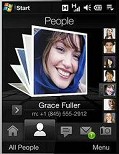 Developers tried to import Manila 3D ( TouchFlo 3D ) on Qvga Device. It worked on Qvga device. Developers released First public release of Touchflo 3D for Qvga Device. They also confirmed that Its working on KS20, POLARIS, NIKE, KAISER Devices. You Requires OpenGL ES driver installed in your QVGA Device.
When i saw that i was like wow.. It Works. Now its Slow but works well in Faster QVGA Device. I am waiting for updated version. I saw Two Youtube videos on the Beta release. Soft resets will be needed often while it is enabled. Here is one of the youtube video.
[youtube 2qcDFjoMMrU 300 200]
Soft resets will be needed often while its installed on your QVGA Device. Here is a tutorial To install Touchflo 3D On your Device At first deactivate all the today plugin on your Qvga device. If you have TouchFlo scroll enabled Disable that. Then soft reset your Device. If you installed any Touchflo 3D version on your device before remove it and soft reset. Install OpenGL ES drivers cab and then install Touchflo 3D cab on your device. Restart you device. And Enable Touchflo 3D Plugin. Then Enjoy.
Latest Download Link For Touchflo 3D
Kaiser and Nike drivers: Download
Polaris drivers: Download
Latest Software Drivers For Kaiser/Polaris/Nike Device : Check Here
TouchFlo 3D QVGA: Download
For Updated drivers and Touchflo 3D Download link Visit This Link : Touchflo 3D
Note: Plz note that if Touchflo 3d is not working on your device then your device doesn’t support 3d Drivers. Keep an eye on driver page to find latest drivers.
i have a vzw vogue (xv6900)…how can i make this work??? ive searched everywhere and followed directions, but no luck! any advice??
@Dave –
Dave i think Driver for TouchFlo 3D doesn’t support vogue. Did you installed driver Software Drivers for old devices. If you did then you have to wait Drivers for your Device. Check the last link on this post to find updated Drivers.
thanx a bunch dude
i installed old drivers anyway, but nothing. i’ll just wait til driver for vogue come out.
thanx again
@Dave – no problem at all Dave i shall try to keep an eye on that project.
will this work on htc mogul ,,,?? when i tried i got the white boxes maybe i installed it wrong ..
Hi, I have LG KS20 (WM6.1)….can u giude me how to get manila 3d working on my device.
@Rahul –
@levi it will nor work ig your device not support this drivers. Developers are working on finding 3d drivers of different device. So you guys have to wait until suitable 3d driver.
I have The HTC Kaiser, and I´ve installed drivers and TouchFlo 3D QVGA, but the message touch the screen for start touchflo 3d, and don´t work
trying it on at&t tilt, will let you know if it works…
does not work on HTC 8925 aka AT&T tilt…
i get “launching touchflo3d” message but doesnt load anything…
if anyone have any clue please let me know: [email protected]
thanks
Do you have a driver for Asus P320? I saw a video on this phone with manila 2D
@Eldin –
Sorrry to say that i have no driver for Asus P320 n my collection. i shall search for that. If you find it before me please me know that. Thanks
Hey guys i’m looking for someone to help me get this manila3d going on my tmobile wing…. please email me at [email protected]
Hi,
Recently purchased one of those china brand PPC phones off ebay recently. It’s a HTY Q5 (AKA, Hantel Q5, or A858)
Anyone know how and if I get get Manilla3D on this?
Hey,
Willis, I am considering whether to buy a HTY Q5 or not. Would you recommend it? What are the positives and negatives?
Please email me at [email protected]
Cheers.
I installed Touchflo 3D HTC Cruise (P3650) successfully but my phone is getting hang frequently. The touchflo 3D is vanishing after sometime and not displaying screens until i restart the device. Is there any patch or update to resolve this issue.
I think your device doesn’t support the driver. There is no fix for this issue yet. Check the w*w.htcclassaction.org for latest drivers.
hi guys
i have LG KS20 device and i installed touchflo 3d but it doesn’t work corectly..i have the 10g greek rom..any idea from you??
thanks…
Does it works in a Samsung Omnia? Do I need to install any dirvers?
Sorry to say that, it doesn’t work on Samsung Omnia.
hi! i’d like to install touch flo 3d on my p3600 (trinity) device. i saw some videos on youtube with HTC P3600 flo 3d. but i don’t know what driver i need…kaiser, nike or polaris. thenx 4 helping me…
خیلی عالی بود ممنون.
very good thanks.
sorry is that app support htc touch 3g?
i tested this on My MDA (QVGA Device) .. check the source for available updates..
Does Manila3D work in HTC P3450? I have Manila2D, is there any cab file to upgrade to Manila3D? or i need to uninstall Manila2D then soft reset and install Manila3D?
Thanks in advance
If your device supports the 3d driver… then you can run Manila3d. There is no cab file to upgrade to Manila3D. Because its different from Manila2D.
Hi friends,
Can anyone tell me if TouchFLO 3D is compatible with HP612c.
If yes then how do i make it work.
The 2D version is working fine on it.
Just like to update it.
Please write me back at
rony925 at hotmail.comThanks.
I searched for TouchFLO 3d roms for your device. But there is no rom with TouchFlo 3d .. I thinks it doesn’t support TouchFlo 3D. ( i am not sure)
i need a link for a german tf3d qvga
hai…
does its works on o2 XDA stealth?
tq…
Sorry to say that I am not sure about that.