
How to: Install themes on XP
Although this is an easy process, many people don’t know how to do it and I hope this guide will provide an easy method to install custom themes in XP. Here are some examples of what you can change your custom interface into:
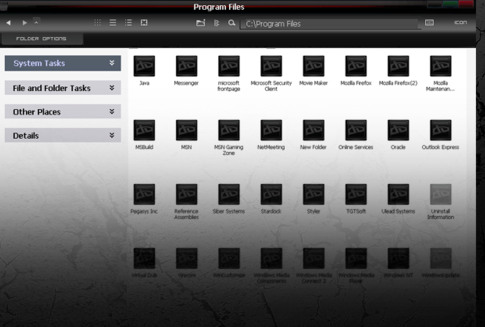
Xp Custom Theme Example 2
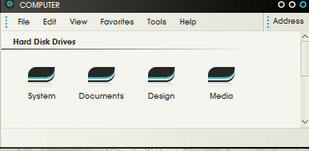
You will need:
* Any version of XP installed – most custom versions are already patched
* One small file
* Less than 5 minutes
Step 1
Download uxthemedll (218kb) : Download Here

For Xp Sp1 Users : http://www.softpedia.com/get/Desktop-Enhancements/Themes/UXTHEMEDLL-Pack-DLL-for-SP1-included.shtml

For Sp2 Users : http://www.softpedia.com/get/Desktop-Enhancements/Themes/UXTheme-Patch-For-Windows-XP-SP2-Final.shtml
Step 2
Navigate to C:\ WINDOWS\ System32
Step 3
Once there, there will be a file called: uxtheme.dll
Rename it to this:
uxtheme.dll.old
If you can’t delete or rename uxtheme.dll read this tutorial : How to replace File used By Windows
Note: this is important because if your new theme file becomes corrupt, you can use this one as a backup
Step 4
Now copy and paste the file you downloaded in Step 1 into the same directory:
C:\ WINDOWS\ System32
Note: At this point you may recieve warnings that you are replacing system files, this is normal and just cancel any windows trying to stop you. You may have to be an Administrator for this to work
Step 5
Reboot and you’re done, you can now install 3rd party theme files which you can find here:
Windows XP Themes: http://www.guimods.com/category/windows-xp-themes/
Step 6
After Downloading custom theme unzip or copy it to C:\WINDOWS\Resources\Themes . Now change your theme and have fun.
how to install a themes in windows xp?
copy the downloaded theme folder to C:\WINDOWS\Resources\Themes and change the theme from desktop properties.
Hi. Sorry for my english. but ill try to explain whats happend. maybe you can help me. i done all this things what you write here. copy files in to C:\ WINDOWS\ System32. rename uxtheme.dll in to rename uxtheme.dll.old and so on. But the problem is :
when i restart my computer , i chose my account , and opens only wallpaper , without icons, without any think… only wallpaper and mouse. by the way mouse is moving but nothing more. and when i push some button opens table and there are writen: THIS APPLICATION HAS FAILED TO START BECAUSE UxTheme.dll was not found .RE-INSTALLING THE APPLICATION MAY FIX THIS PROBLEM. Now i cant use my laptop..please help me.
I think you used the wrong version of the file. If you have your Windows Cd / Dvd boot it from there.. You’re not going to reinstall it or lose any of your files. Now choose command prompt.In the command prompt window type in cd\windows\system32 and press enter. Now type in rename UXTheme.old UXTheme.dll and press enter. Do the same thing for the other files that you renamed and then reboot. It should fix the problem.
there is no receiving warning message.. in my uxtheme.dll, i was wondering is there any problems in my XP because it is service pack 3.. i cant see any download uxtheme for SP3 users.
i have installed it but it has not upgrad start menu to window 7 start menu.
i do all this process and its done and i also copy downloaded theme to c:windows/resources but i cant browse that themes and cant use them